
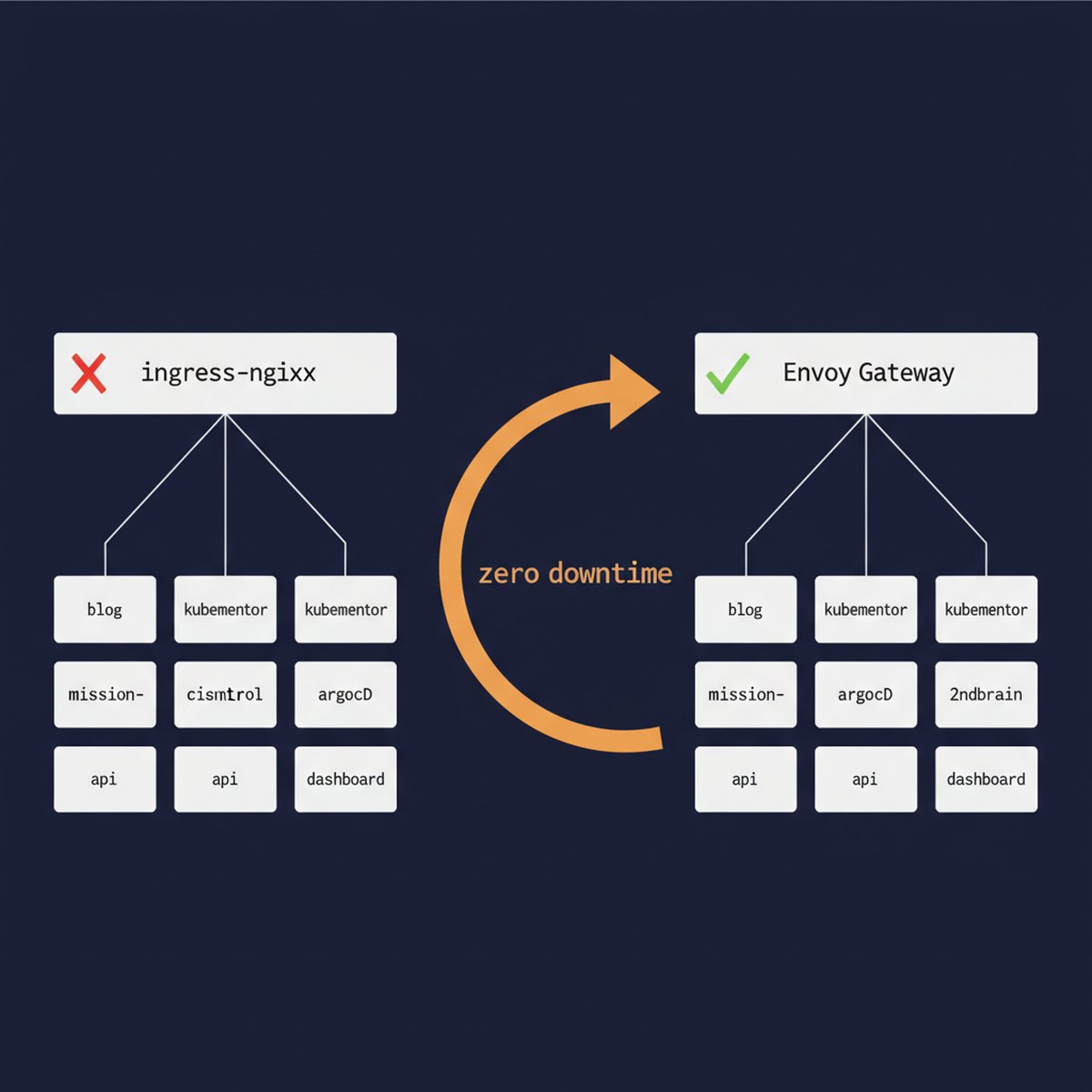
If you’re running ingress-nginx in production, your clock is ticking. The community controller hit end-of-life in March 2026, and if you’re like me, you spent months “planning to migrate” while doing absolutely nothing about it. Well, tonight I finally did it. Seven services, five namespaces, zero downtime, roughly 30 minutes of actual cutover time.
And six gotchas that nearly made it a very different story.
Table of Contents
The Situation: Why This Migration Couldn’t Wait
My setup: a DigitalOcean managed Kubernetes cluster (v1.34.1, 3 nodes, Cilium CNI) running ingress-nginx for everything. Blog (WordPress on lesterbarahona.com), KubeMentor dashboard, API, and landing page, ArgoCD, a Second Brain app, and an internal monitoring dashboard called Mission Control. Seven ingress resources across five namespaces, all funneling through one NGINX load balancer at 164.90.253.196.
Classic setup. Worked great for two years.
Then the ingress-nginx EOL announcement dropped, and suddenly “works great” became “ticking time bomb.” Oh, and my blog’s TLS cert was expiring March 16. Nine days away. Nothing like a deadline to cure procrastination.
Why Envoy Gateway Over NGINX Gateway Fabric or Cilium
The obvious migration path is NGINX Gateway Fabric, the “official successor.” Same team, similar config patterns, easy 1:1 migration story. I almost went that route.
But here’s the thing: if you’re going to rewrite all your routing config anyway (which you are, the Gateway API spec is a different beast), why chain yourself to NGINX’s approach? Envoy Gateway is purpose-built for the Gateway API spec, has better community momentum, and doesn’t carry NGINX Inc.’s commercial baggage.
I also considered Cilium’s built-in Gateway API support since DigitalOcean ships Cilium as the CNI. Turns out that feature requires VPC-native clusters, which mine isn’t, and you can’t convert existing clusters. So that was a quick no. Save yourself the support ticket.
TL;DR: Envoy Gateway v1.7.0. Standalone, feature-complete, no vendor lock-in, active CNCF project.
Migration Strategy: Parallel Deploy, Then DNS Cutover
I did NOT do an in-place swap. That’s how you get “all seven services down at 3 AM” stories. The zero-downtime approach:
curl --resolvePhase 1 (deploy and test) happened the day before. Both systems running in parallel, new LB at 104.248.108.100 serving traffic alongside the old one. No DNS changes yet. Everything verified with curl --resolve against the new IP.
Phase 2 (tonight) was the actual cutover. This is where things got interesting.
Gateway API vs Ingress: The Config Translation
Before I get into the war story, here’s what the Kubernetes Gateway API migration looks like in practice. A simple proxy service (my Second Brain app):
Before (Ingress):
apiVersion: networking.k8s.io/v1 kind: Ingress metadata: name: secondbrain annotations: nginx.ingress.kubernetes.io/proxy-body-size: "10m" spec: ingressClassName: nginx rules: - host: 2ndbrain.lesterbarahona.com http: paths: - path: / pathType: Prefix backend: service: name: secondbrain port: number: 3000 tls: - hosts: - 2ndbrain.lesterbarahona.com secretName: secondbrain-tls After (HTTPRoute + Envoy Gateway):
apiVersion: gateway.networking.k8s.io/v1 kind: HTTPRoute metadata: name: secondbrain namespace: secondbrain spec: parentRefs: - name: main-gateway namespace: envoy-gateway-system hostnames: - "2ndbrain.lesterbarahona.com" rules: - matches: - path: type: PathPrefix value: / backendRefs: - name: secondbrain port: 3000 Cleaner, right? TLS is handled at the Gateway level, not per-route. The parentRefs pattern replaces the ingress class annotation. And the www-to-apex redirect that used to be an NGINX annotation becomes its own explicit HTTPRoute with a RequestRedirect filter. More YAML? Yes. More debuggable? Also yes. I’ll take the trade.
6 Production Gotchas We Hit During Cutover
Here’s what actually happened when I started flipping switches tonight. These are the real-world Kubernetes ingress migration gotchas that nobody warns you about.
Gotcha #1: external-dns Was Already Dead
First thing I noticed: external-dns wasn’t running. Restarted it. Immediately CrashLoopBackOff’d. The error: “failed to sync *v1.Endpoints: context deadline exceeded.”
Turns out the --source=service flag was trying to watch ALL Endpoints objects in the cluster and timing out. On a cluster with Cilium and its dozens of internal service endpoints, that’s a lot of watching. The fix was simple: remove service from the sources, keep only ingress and gateway-httproute.
SRE lesson of the night: the monitoring you forgot about is the one that bites you. External-dns had been dead for who knows how long, and I only noticed because I needed it tonight.
Gotcha #2: DNS Flip-Flopping Between Old and New Gateways
Once external-dns came up, things got weird. It saw BOTH the old Ingress resources (pointing to the nginx LB at 164.90.253.196) AND the new HTTPRoutes (pointing to the Envoy LB at 104.248.108.100) for the same hostnames.
With policy: upsert-only, it just kept overwriting the DNS record every sync cycle. One minute nginx, next minute Envoy, back and forth. Users hitting the site would land on a different backend depending on when their DNS query resolved.
The fix is obvious in retrospect: you can’t have two sources of truth for the same hostname. Delete the old Ingress resources so HTTPRoutes become the sole DNS source. But I wasn’t planning to delete ingresses until after verifying each service. Chicken, meet egg.
Gotcha #3: ArgoCD Zombie Ingresses (Self-Heal Without Prune)
So I started deleting the old ingresses. KubeMentor’s ingresses first. kubectl delete ingress .. Success. Checked 30 seconds later. They’re back. Like nothing happened.
ArgoCD had selfHeal: true but NOT prune: true. Self-heal means “recreate anything that’s missing from the desired state.” Prune means “delete anything that’s in the cluster but not in git.” Without prune, ArgoCD saw my deleted ingresses as “drift” and helpfully restored them for me. Thanks, ArgoCD.
The fix required a proper GitOps workflow: enable prune on the ArgoCD Application, remove the ingress YAML files from kustomization.yaml, push to git, force sync. Only then would ArgoCD stop resurrecting the dead ingresses. This alone ate probably 10 minutes of debugging and “why are you still here” muttering.
Gotcha #4: The Helm Values Trap
The blog (WordPress) was a different beast. It’s deployed via the Bitnami Helm chart, which has ingress.enabled: true with className: nginx baked into the values. And those values existed in TWO places: the live Helm release in the cluster, and the .kube/wp-production-values.yaml file in my git repo that CI uses for deployments.
Disabling it in one place isn’t enough. I ran helm upgrade --set ingress.enabled=false to kill the live ingress, but if I’d stopped there, the next CI deploy would have recreated it from the git values file. Had to update both places, commit, and push.
If you’re running Helm charts with ingress config, grep your entire repo for ingress.enabled and className: nginx before you start. Every place you miss is a zombie ingress waiting to respawn.
Gotcha #5: Cloudflare + cert-manager Certificate Chicken-and-Egg
This was the spiciest one. I needed TLS certs for all my domains on the new Envoy Gateway. cert-manager tried to do HTTP-01 validation: put a token at /.well-known/acme-challenge/, Let’s Encrypt fetches it, cert issued.
Problem: Cloudflare is running in front of everything with “Full (Strict)” SSL mode. That means Cloudflare requires a valid cert on the origin server before it’ll proxy traffic. But cert-manager is trying to issue that cert.. Through Cloudflare.. Which won’t connect because there’s no valid cert yet.
525 error loop. Cert-manager creates a challenge, Let’s Encrypt tries to reach it, Cloudflare intercepts the request, tries to establish a TLS connection to the origin, fails because the cert doesn’t exist yet, returns 525. Challenge fails. Rinse, repeat.
The fix: switch ALL certificates to DNS-01 validation via Cloudflare’s API. Instead of HTTP challenges, cert-manager creates a _acme-challenge TXT record in Cloudflare DNS, Let’s Encrypt reads the TXT record to validate domain ownership, cert gets issued. No HTTP involved. Works perfectly behind any proxy, CDN, or WAF.
If you’re behind Cloudflare (or any SSL-terminating proxy), DNS-01 is the only sane choice. HTTP-01 will hurt you. I wish I’d learned this lesson before tonight.
Gotcha #6: Multi-Domain DNS Providers Break cert-manager Automation
One more cert wrinkle: kubementor.io’s DNS lives on GoDaddy, not Cloudflare. My shiny new Cloudflare DNS-01 solver can’t create TXT records on GoDaddy. So the KubeMentor cert can’t auto-renew through this flow.
For now, the existing cert is valid until May. That buys me time to either migrate kubementor.io’s DNS to Cloudflare (the right answer) or configure a GoDaddy DNS solver for cert-manager (the “I’ll do it properly later” answer). We all know which one I’ll actually do first.
The Cutover Order: Lowest Risk to Highest
I went lowest risk to highest risk:
Each one: delete old ingress, verify HTTPRoute is serving correctly, check the public URL, move to the next. After the first three went clean, the rest were almost boring. Almost.
Total cutover time for all seven services: roughly 30 minutes. Would’ve been 15 without the ArgoCD and Helm surprises.
Migration Results and Performance
The cluster is cleaner now than it was before the migration. Gateway API is more explicit than Ingress, the routing is easier to reason about, and I’m not dependent on a dead project anymore.
7 Lessons for Your ingress-nginx Migration in 2026
curl --resolve before touching DNS. curl --resolve "yourdomain.com:443:NEW_LB_IP" https://yourdomain.com/ -k tells you if routing works without affecting real users.prune: true matters when removing resources. Without it, self-heal will recreate deleted resources. Enable prune before you start deleting things.gateway-httproute to sources, and remove service if it’s causing timeout issues. Also: make sure external-dns is actually running before you need it.What’s Next
The old nginx load balancer is still sitting there with zero ingresses attached. I’ll decommission it in a week or two after I’m fully confident everything is stable. That’s $12/month back in my pocket, which almost covers one artisanal coffee.
If you’re staring down the ingress-nginx EOL and dreading the migration, just do it. The parallel deploy strategy makes it genuinely low-risk. The gotchas are real but solvable. And Gateway API is honestly nicer to work with than Ingress once you get past the initial YAML shock.
Hit me up on X @lestermiller if you’re doing this migration and run into something I didn’t cover. Or just to commiserate about Kubernetes YAML. There’s always more YAML.
FAQ: Migrating ingress-nginx to Envoy Gateway
Is ingress-nginx actually end-of-life in 2026?
Yes. The community ingress-nginx controller reached end-of-life in March 2026. No more security patches, no more bug fixes. If you’re still running it, you’re on borrowed time. The Kubernetes project recommends migrating to a Gateway API implementation like Envoy Gateway, NGINX Gateway Fabric, or Cilium.
Can I migrate from ingress-nginx to Envoy Gateway with zero downtime?
Absolutely. The trick is a parallel deployment: run Envoy Gateway alongside ingress-nginx on the same cluster with separate load balancers. Test everything with curl --resolve against the new IP, then cut DNS one service at a time. If anything breaks, point DNS back. I migrated 7 services this way in about 30 minutes with zero user impact.
Should I use HTTP-01 or DNS-01 cert validation with Envoy Gateway behind Cloudflare?
DNS-01, no question. If Cloudflare is set to “Full (Strict)” SSL mode, HTTP-01 validation creates a chicken-and-egg loop: Cloudflare needs a valid cert to proxy the challenge request, but cert-manager needs to complete the challenge to issue the cert. DNS-01 bypasses HTTP entirely by validating through TXT records. Use the cert-manager Cloudflare DNS solver.
What’s the difference between Gateway API and Kubernetes Ingress?
Gateway API is the successor to Kubernetes Ingress. It splits routing into two resources: a Gateway (infrastructure, TLS, listeners) and HTTPRoutes (per-service routing rules). This separation gives you better multi-tenancy, more explicit configuration, and less reliance on annotations. More YAML up front, but significantly easier to debug and reason about in production. Check the Gateway API spec for the full picture.