
Everyone’s talking about AI agents in 2026. Gartner says 40% of enterprise apps will have them by year-end. The frameworks are multiplying like rabbits. LangGraph, CrewAI, AutoGen, pick your poison.
And 95% of those projects will fail.
I know this because I read the reports. I also know this because I built the other 5%.
My multi-agent system runs on a $24/month DigitalOcean VPS. It ships real code. It writes blog posts (including this one, kind of). It manages infrastructure. It opened real pull requests while I was asleep last night.
Let me tell you how it actually works.
The “Why” Is Simple: I’m Lazy and Proud of It
I’ve been doing SRE work for 20 years. You know what that teaches you? That humans are terrible at repetitive tasks. We forget steps. We get bored. We fat-finger commands at 2 AM during an incident. Automation isn’t a luxury, it’s survival.
So when AI coding tools showed up, I didn’t ask “is this the future?” I asked “how many of my tasks can I offload to this thing tonight?”
The answer turned out to be: a lot.
The Architecture: Hub-and-Spoke, Not a Hot Mess
Here’s where most people screw up. They read about multi-agent systems and immediately start building mesh networks where agents talk to each other directly. Agent A calls Agent B who calls Agent C and suddenly you’re debugging a distributed system that nobody asked for.
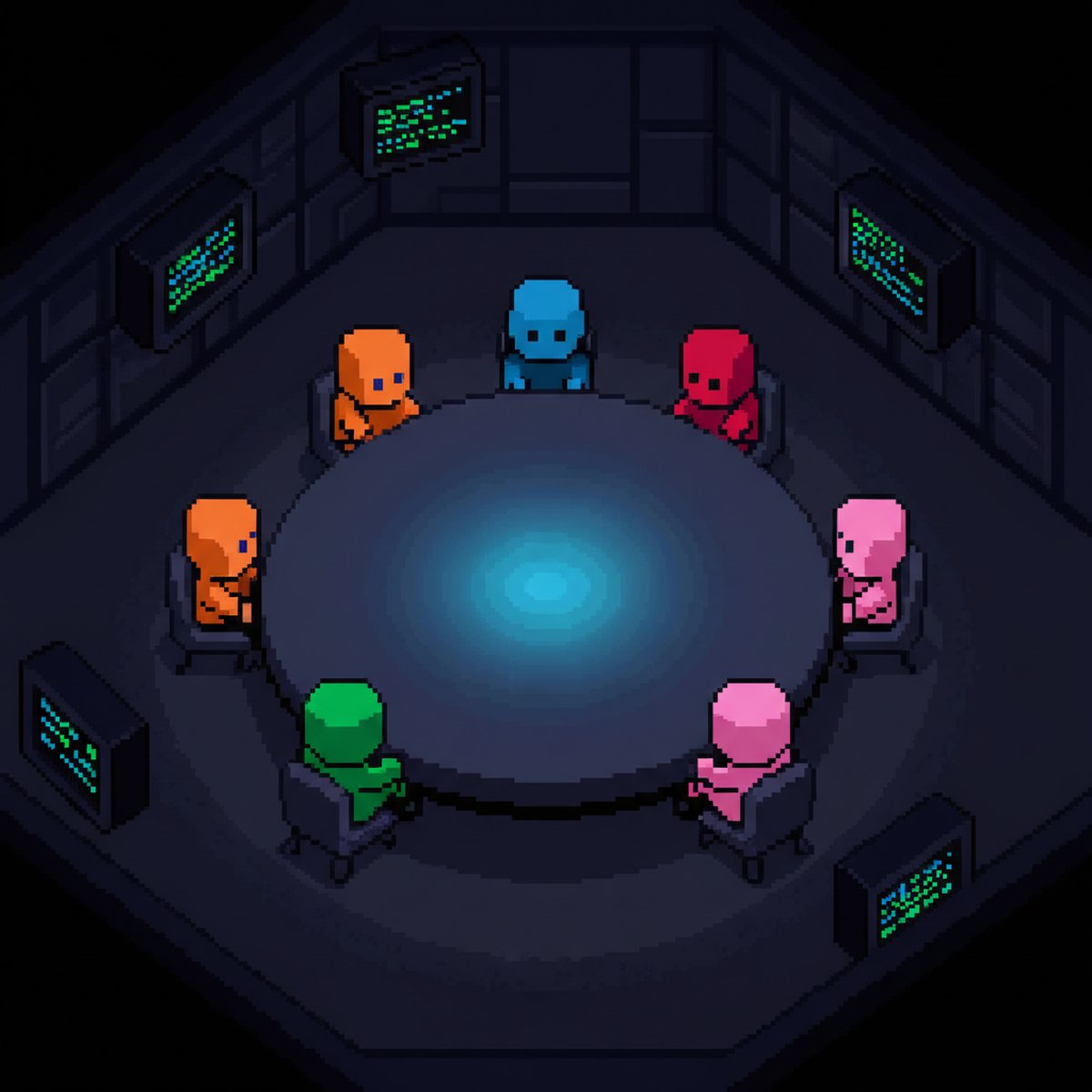
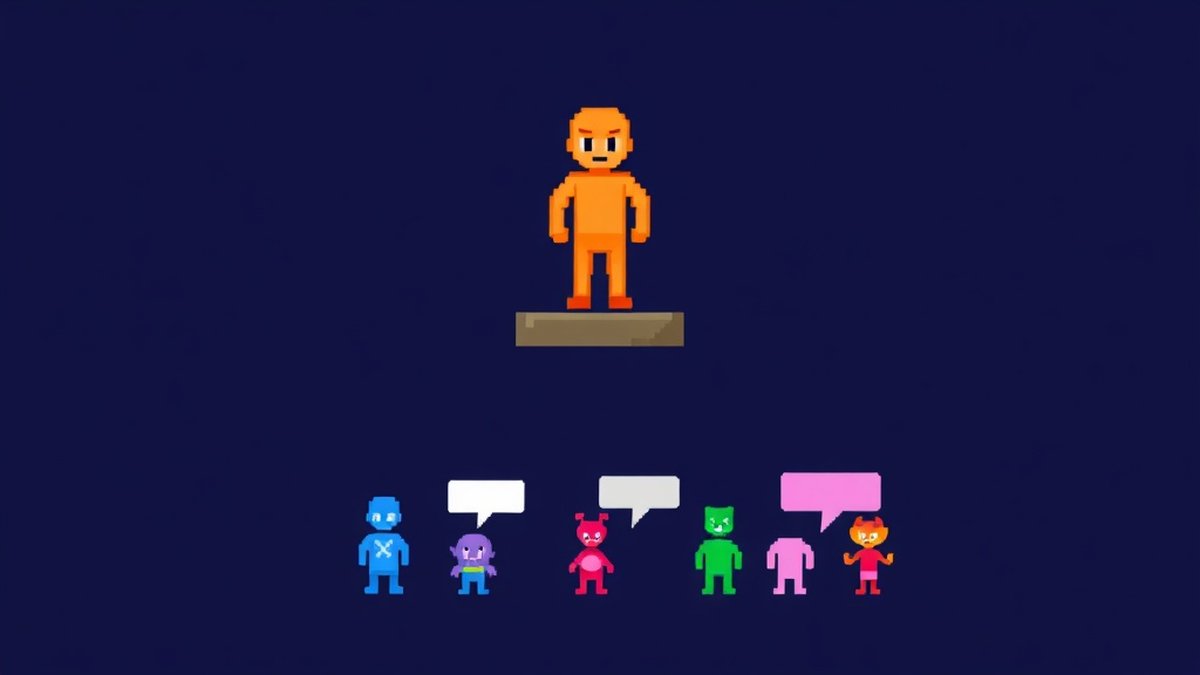
I went with hub-and-spoke. One orchestrator, five specialists. That’s it.
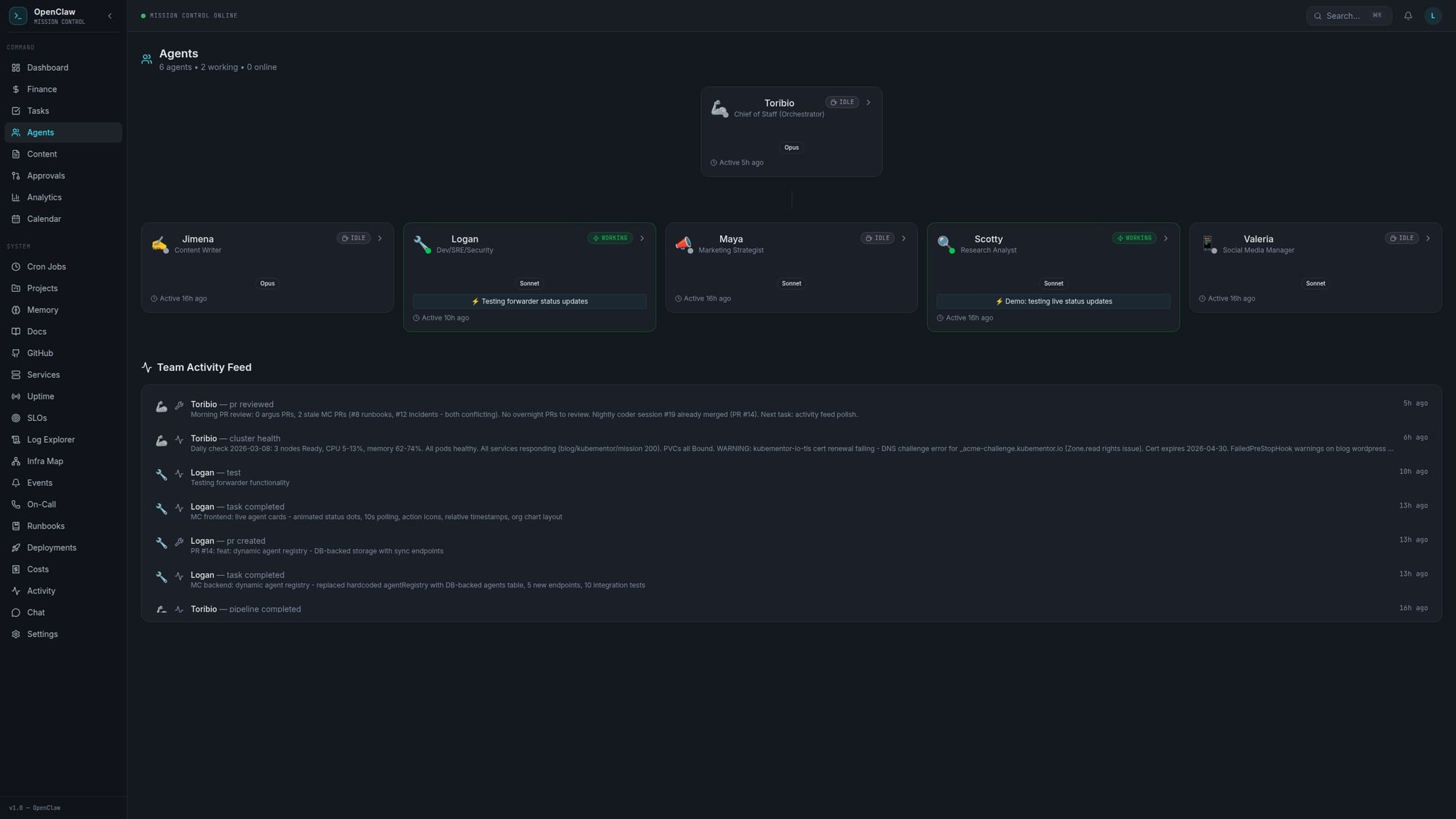
Toribio is the hub. Think of him as the chief of staff. Every task goes through him. He decides who does what, routes the work, and makes sure things happen in the right order.
The spokes are:
- Logan (Dev/SRE): The builder. Writes code, manages infrastructure, opens PRs.
- Scotty (Research): Digs through the internet and synthesizes findings into briefs.
- Jimena (Writer): Turns research into blog posts and content. She wrote the first draft of this, actually.
- Valeria (Social Media): Creates X threads, schedules posts, manages the social presence.
- Maya (Marketing): Strategy, positioning, promotion plans.
Each agent has a SOUL.md file that defines their personality and expertise, their own workspace, and a task queue. All communication goes through Toribio. No agent-to-agent chatter. No spaghetti.
Why hub-and-spoke? Because I’ve spent two decades watching distributed systems fail in creative ways. The simplest architecture that solves the problem is always the right one. Google Cloud literally published a paper warning that “current agent frameworks often model multi-step actions as continuous flows without a transaction coordinator.” So I built the coordinator.
The Platform: OpenClaw on a $24/Month VPS
The whole thing runs on OpenClaw, deployed on a single DigitalOcean VPS. Twenty-four dollars a month. That’s less than most people spend on coffee in a week.
No Kubernetes cluster dedicated to agents. No managed AI services. No five-figure monthly bill. Just a VPS, some configuration files, and a lot of opinions.
Each agent gets:
- A
SOUL.mdfile (personality, expertise, tone) - A workspace directory
- Access to shared tools (web search, file operations, shell commands)
- A task queue managed through simple markdown files
The file-based handoff system is the secret sauce. Agents write their output to shared directories. The next agent in the chain picks it up. No message queues. No pub/sub. No RabbitMQ. Just files on disk.
Before you tell me that’s not “production-grade,” consider this: my file-based system has never lost a handoff. My previous experience with message queues? Can’t say the same.
Logan: The Coding Agent That Actually Ships
Logan is the star of the show. He has two coding tools: Codex CLI (OpenAI) for quick tasks and Claude Code (Anthropic) for complex multi-file work. If one gets rate-limited, the other picks up. Redundancy. It’s an SRE thing.
Every night, Logan runs autonomous coding sessions. He picks a task from his nightly queue, clones the repo, does the work, and opens a real pull request on GitHub. I wake up, review the PR, merge or comment, and move on with my life.
The results so far? A full observability and incident management CLI built from scratch. Alerting, SLO tracking, anomaly detection, dependency mapping, runbooks. All built during nightly sessions. Real, tested, merged code. Not demo scripts that work once and crash in production.
He also handled an Envoy Gateway migration end-to-end. If you’ve ever dealt with Envoy rejecting headers for reasons that seem personally vindictive, you know that’s not trivial work.
Here’s what a typical nightly session looks like:
- Toribio checks the nightly tasks file
- Logan picks the highest priority task
- He spins up Codex or Claude Code depending on complexity
- Code gets written, tests pass (usually)
- PR opens on GitHub with a description of what changed and why
- I review it in the morning with my coffee
The “usually” in step 4 is important. Things break. Tests fail. Sometimes the agent writes code that’s technically correct but architecturally questionable. That’s fine. I review everything. The point isn’t to replace the engineer. The point is to replace the 2 AM coding session where I’m writing boilerplate with one eye open.
The Content Pipeline: Research to Published in 10 Minutes
This is the workflow that produced what you’re reading right now.
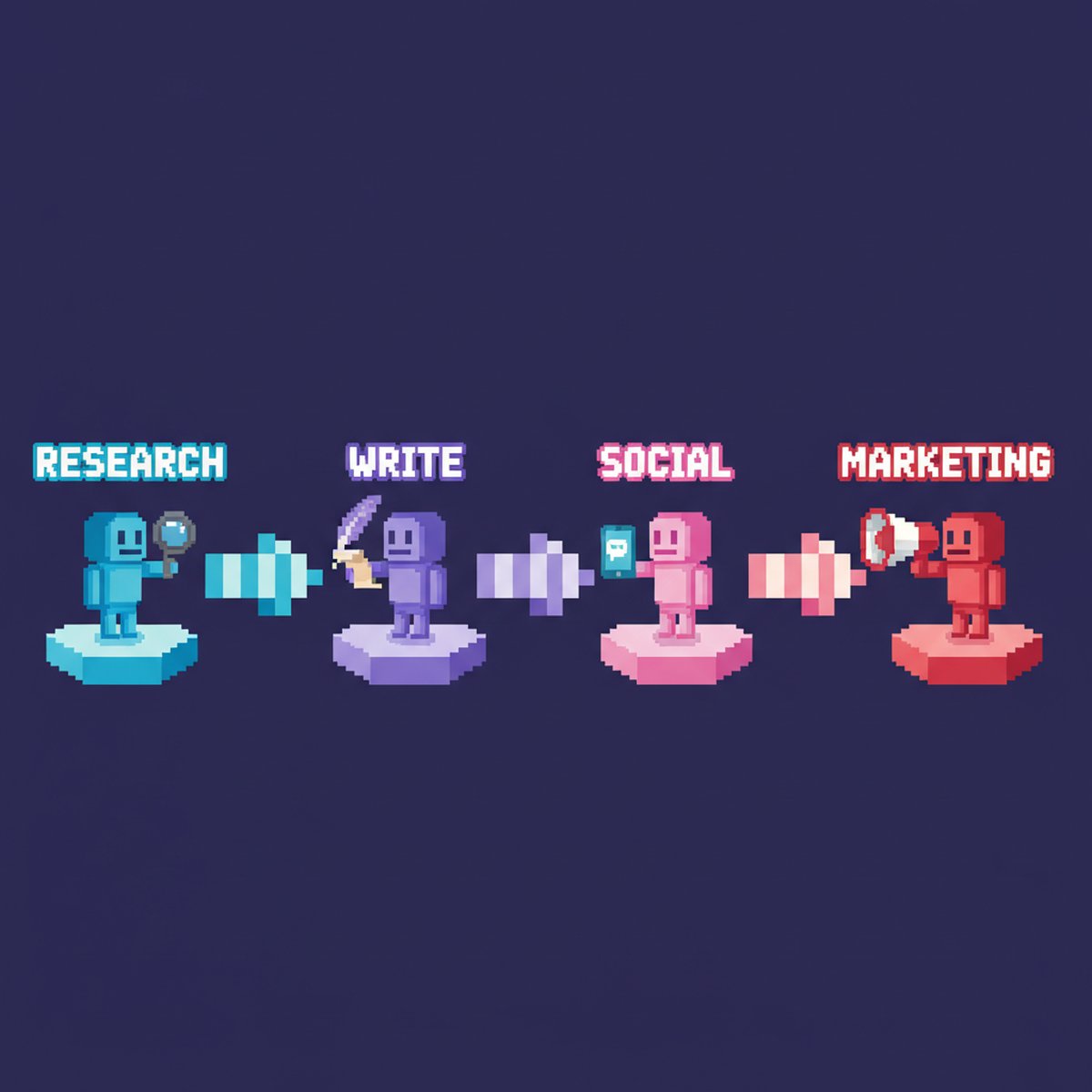
- Scotty researches the topic. He searches the web, reads reports, pulls statistics, and writes a research brief with positioning angles and content gaps.
- Jimena writes the blog post and an X thread using the research brief. She knows my voice (sarcastic, opinionated, no corporate speak).
- Valeria takes the content and creates social media assets, scheduling, and cross-posting plans.
- Maya develops a marketing strategy, identifies promotion channels, and builds a distribution plan.
End-to-end: about 10 minutes. The whole pipeline runs through Toribio, who spawns each agent in sequence and passes the output forward through shared directories.
Is it perfect? No. I edit everything before it goes live. Jimena’s first drafts are good but they’re not me. The difference is that I’m editing a 2000-word draft instead of staring at a blank page. That’s a completely different problem, and a much easier one.
Mission Control: Because You Need to See What’s Happening
Running six AI agents without monitoring is like driving with your eyes closed. Eventually you’ll hit something.
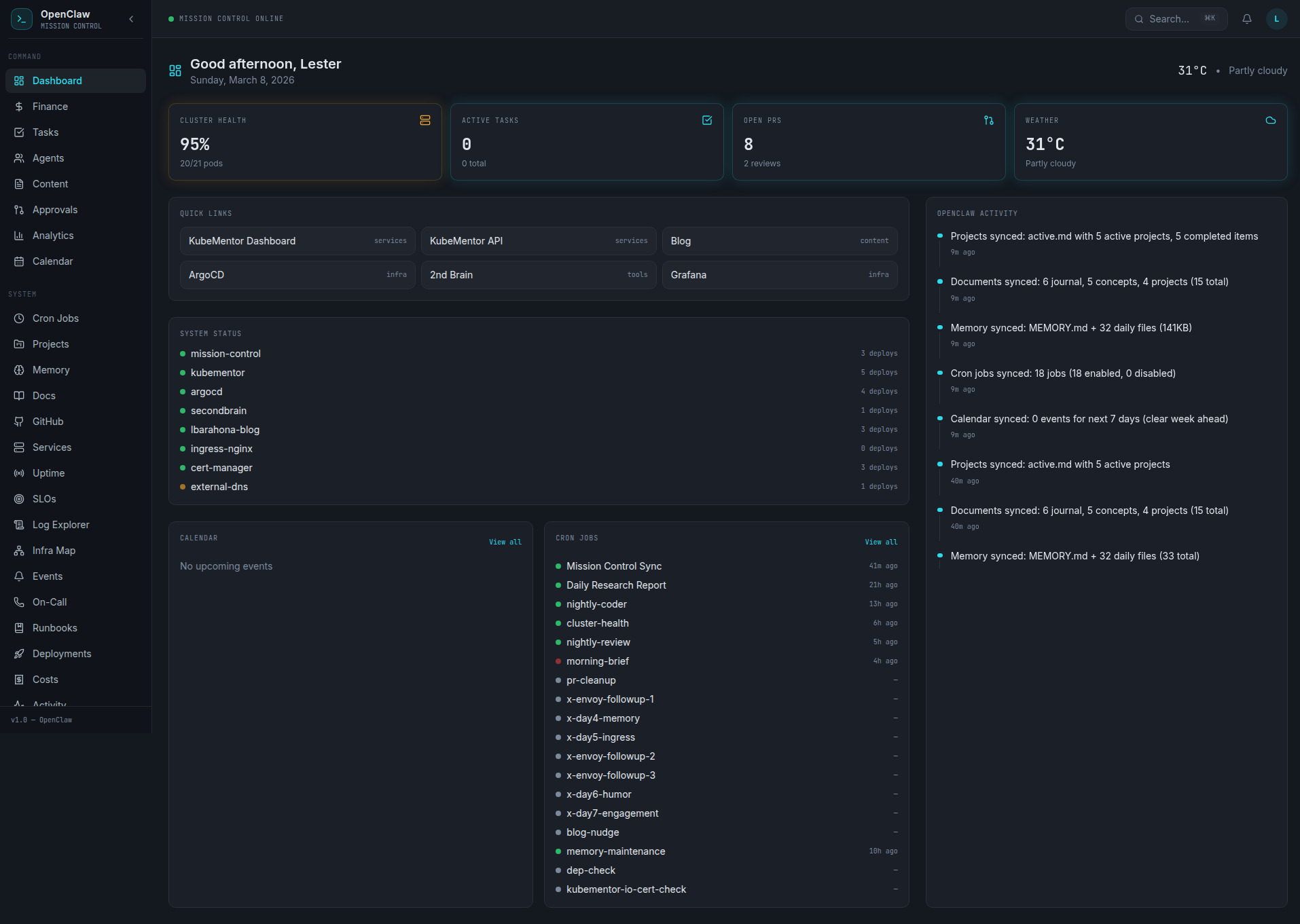
I built Mission Control, a web dashboard that shows:
- Agent status (online, idle, working)
- Activity feed tracking what each agent is doing in real-time
- Task completion history with timestamps and results
It runs on Kubernetes alongside my other services. An activity forwarder polls agent status every 5 seconds and pushes updates to the dashboard. Nothing fancy, but it means I can glance at a screen and know if Logan is stuck in a rate-limit loop or if Scotty is actually researching instead of spinning.
The Failures (Because Honesty Matters More Than Marketing)
Let me be real about what breaks, because every “look at my cool AI setup” post that doesn’t mention failures is lying to you.
Rate limiting is the silent killer. OpenAI and Anthropic both throttle you. Having two coding tools helps, but there are nights where both get limited and Logan just.. Stops. The task sits there until the next night. Not ideal. Cron jobs die silently. I had a heartbeat cron job that was supposed to check agent status every 30 minutes. It died two weeks ago and I didn’t notice until an agent had been stuck for three days. Added monitoring for the monitoring. It’s turtles all the way down. Envoy hates everything. During the gateway migration, Envoy started rejecting headers for reasons I still don’t fully understand. Logan’s automated fix worked on attempt four. The first three attempts taught me that AI agents are just as capable of being confidently wrong as human engineers. Context windows are real limits. Agents working on large codebases hit context limits. The solution is chunking work into smaller tasks, which means more orchestration complexity. There’s no free lunch.
90% of agent deployments fail within weeks, according to the research. Mine hasn’t failed because I treat it like infrastructure: monitor it, expect failures, build in recovery, and keep it simple enough that I can debug it at 2 AM (even though the whole point is to not be debugging at 2 AM).
Why This Works When Enterprise Solutions Don’t
MD Anderson lost $62 million on an AI implementation. McDonald’s killed their drive-thru AI. These are organizations with budgets that make my $24/month look like a rounding error.
The difference isn’t money. It’s complexity.
Enterprise solutions try to be everything. They build platforms. They have governance layers and approval workflows and compliance frameworks. By the time you’re done setting up, the technology has moved on.
My system works because:
- It’s simple. Hub-and-spoke. Files on disk. Markdown task boards. Nothing clever.
- It’s scoped. Each agent does one thing well. Logan codes. Scotty researches. Nobody’s trying to be a general-purpose AI.
- It’s supervised. I review everything that leaves the system. PRs get reviewed. Blog posts get edited. Tweets get approved. The AI proposes, I dispose.
- It’s cheap. $24/month means I can experiment without filing a purchase order. If something breaks, I fix it or throw it away. No sunk cost fallacy when the cost is lunch money.
What I’d Do Differently
If I started over tomorrow:
- Better task decomposition. Some tasks I gave Logan were too big. Break everything into the smallest possible unit of work.
- Cost tracking from day one. I didn’t track API costs per agent until month two. Know your burn rate early.
- More aggressive testing. Autonomous code needs automated tests. Full stop. Don’t trust the output without verification.
Getting Started (Without My Mistakes)
If you want to build something like this:
- Start with one agent. Don’t build a team of six on day one. Get one coding agent working reliably, then add more.
- Use hub-and-spoke. Your orchestrator is the most important piece. Get that right first.
- File-based handoffs. Seriously. Skip the message queues until you actually need them.
- Monitor everything. If you can’t see what your agents are doing, you don’t have a system. You have a prayer.
- Expect failure. Build for recovery, not perfection.
The Bottom Line
Multi-agent AI workflows aren’t the future. They’re the present. The question isn’t whether to build one, it’s whether to build one that actually works or one that looks good in a demo.
I chose “actually works.” It costs me $24/month, runs on a single VPS, and ships more code while I sleep than I used to ship in a distracted afternoon. Is it perfect? Hell no. But it’s real, it’s running right now, and it gets better every week.
The 95% failure rate in AI projects isn’t because the technology doesn’t work. It’s because people over-engineer the solution. Keep it simple. Keep it supervised. Keep it shipping.
And maybe get some sleep while your agents open pull requests.
Follow me on X @lestermiller for real-time updates on what my agents are building (and breaking). Check out Argus on GitHub, the CLI tool my coding agent built while I was sleeping. And if you want to build your own setup, OpenClaw is where I’d start.